
Project · Live
Tele-prompter
A free, client-side teleprompter for the browser. Smooth auto-scroll, webcam background, MP4 recording with audio. The part that actually matters: your script and your footage never leave your machine. No upload. No login.
Why I built this
The teleprompters I could find online either cost a subscription, required an app install, or (worse) uploaded the script and sometimes the webcam feed to someone else's server. None of that fits how I actually want to record a video: open a tab, paste a script, record, close the tab.
So I built one that runs entirely in the browser. The whole app is static HTML/JS/CSS served by Nginx. The webcam goes through getUserMedia, the recording uses MediaRecorder, the file gets dropped to disk via a download. There's no backend to send anything to, by design.
Features
- Smooth auto-scroll (
requestAnimationFrame) with adjustable speed from 10 to 400 px/s. - Configurable countdown before recording starts, with an optional beep toggle in the bar.
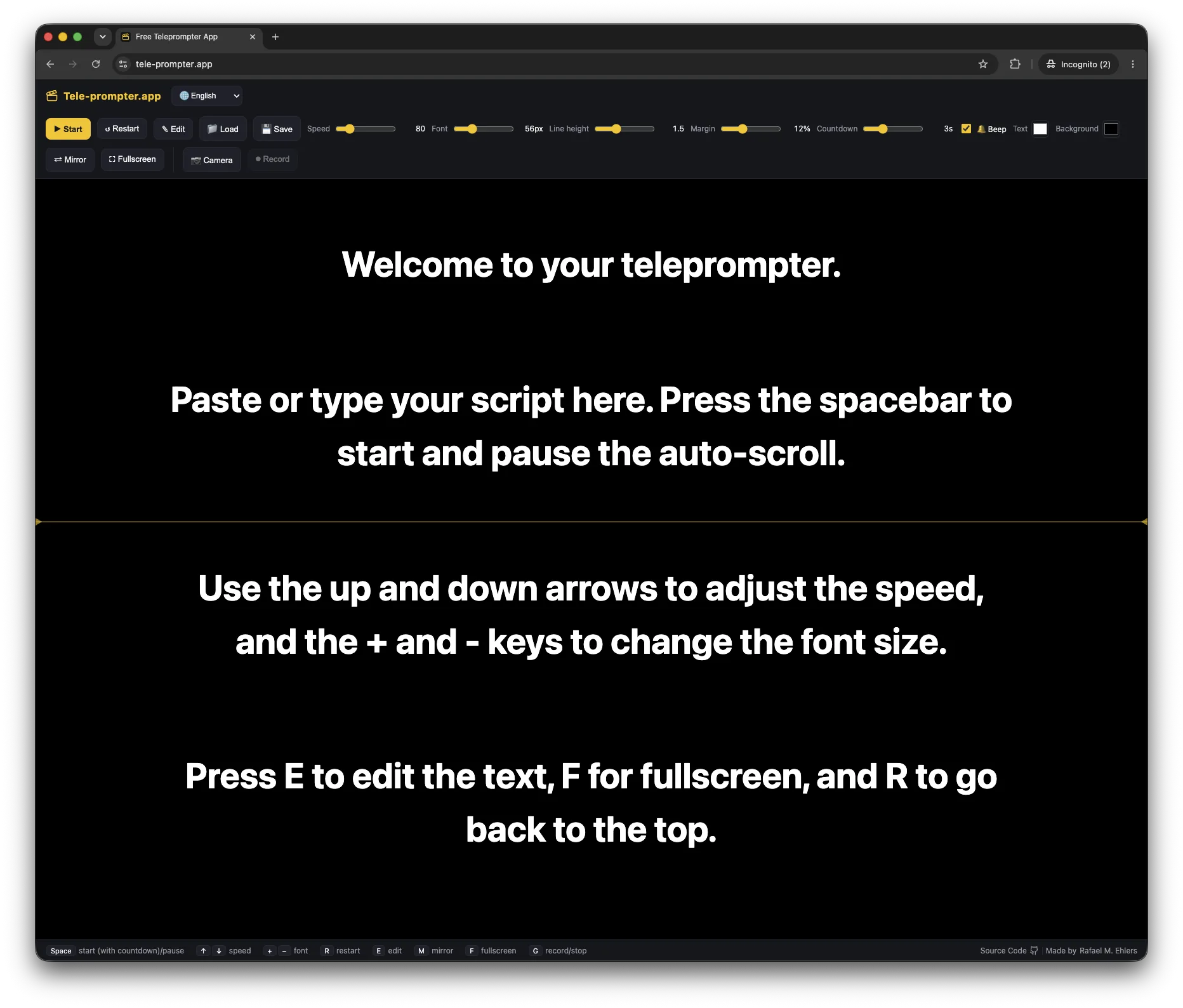
- Presentation controls: font size (24–140), line height, side margin, text color, background color, mirror mode (for glass/beam-splitter setups), and fullscreen.
- Reading-line indicator at the center of the stage so your eyes know where to land.
- Script editing inline, load
.txtfiles (button or drag-and-drop), and export as.txt. - Webcam background behind the text, with a resizable stage and camera/microphone selection.
- MP4 recording with audio: captures the clean camera (no text overlay) with a preview before download. Falls back to WebM automatically on browsers that can't record MP4 (Firefox).
Keyboard shortcuts
| Key | Action |
|---|---|
| Space | Start (with countdown) / pause |
| ↑ / ↓ | Increase / decrease speed |
| + / − | Increase / decrease font size |
| R | Restart from the top |
| E | Edit the script |
| M | Mirror |
| F | Fullscreen |
| G | Start / stop recording |
| Esc | Exit edit mode |
Stack
- React 18 + Vite 6: pure SPA, no backend.
- Browser APIs:
getUserMediafor camera/mic,MediaRecorderfor capture, Web Audio for the beep, CSS Container Query units for the responsive stage. - Multi-stage Docker build:
node:22-slimfor the Vite build,nginx:alpineserving the staticdist/with an SPA fallback. - Same deploy pipeline as the rest of my VPS apps: push to main → GitHub Actions → SSH → script that pulls + rebuilds + restarts. SSL through Nginx Proxy Manager.
One real constraint
The camera and microphone APIs only work in a secure context: HTTPS or localhost. In production this means SSL is load-bearing: lose the cert and you lose recording, even though the rest of the UI would keep working. Worth flagging in any self-hosted deploy.
Status
Live at tele-prompter.app. Source at rafaehlers/tele-prompter.app. First public release: May 2026.